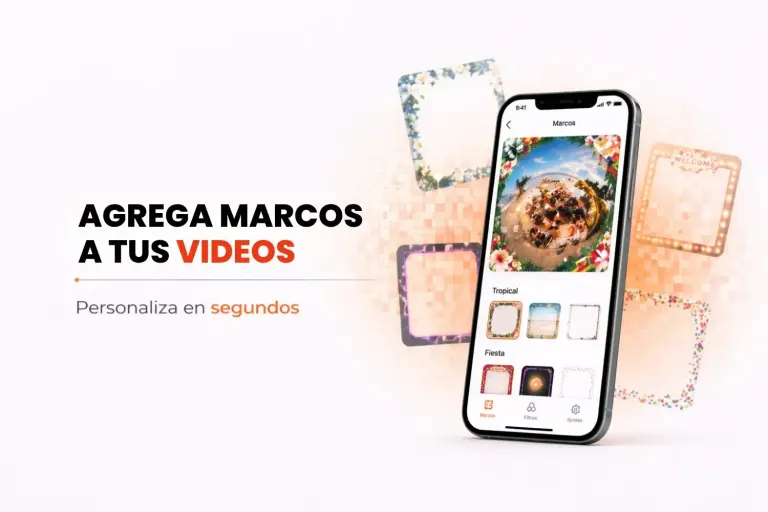
A 360 photo booth overlay is a PNG image with a transparent center that sits on top of the video. The standard size is 1080 x 1920 pixels for vertical video and 1080 x 1080 for square video, always in the same orientation as the video. It carries the event name, the date or the logo, and it is what turns a nice video into a branded one.
Below are the sizes, the overlay types and how to design one that looks good on a phone. If yours is ready and you want to add it to the app, follow the guide to upload and set up overlays in Snap360.
Key Takeaways
- Size: 1080 x 1920 pixels for vertical or 1080 x 1080 for square.
- File format: PNG with a transparent center. JPG will not work.
- Design: text and logo along the edges, never over faces.
- Types: static, animated GIF, AI generated or logo only.
- Test: record one full video with the overlay before you open the line.
360 Photo Booth Overlay Size and File Format
The overlay has to match the orientation of the video. These are the sizes Snap360 uses and when each one makes sense:
| Format | Size in pixels | When to use it |
|---|---|---|
| Vertical | 1080 x 1920 | Reels, TikTok and Stories. It is the one guests share the most |
| Square | 1080 x 1080 | Feed posts and square screens |
Save it as a PNG with a transparent center: JPG does not support transparency and would cover your guests with a white background. The same goes for the logo and for the intro and outro images of the video.
Types of 360 Photo Booth Overlays
- Static overlay: a fixed PNG with the event name, the date and the decoration. It is the most common.
- Animated overlay: with animated GIFs that move over the video, such as confetti, sparkles or a pulsing logo.
- AI generated overlay: you describe the theme and AI overlay generation creates it in seconds.
- Logo only: the company logo on every video, in a corner, for corporate events.
- Intro and outro images: a card at the start and another at the end of the video with the event or brand name.
How to Design an Overlay That Works on Video
- Keep the center clear. That is where your guests are spinning. The design goes along the edges, especially the top and bottom.
- Keep text away from the outer edge. Social apps cover part of the top and bottom with their buttons.
- Few words, big letters. The video is watched on a phone and it spins fast: a name and a date are readable, a long sentence is not.
- Colors that contrast with the venue. A white overlay disappears at a wedding with a light backdrop.
- Match the event look. Use the wedding colors or the company branding so the video feels part of the party.
- Test it on a real video. What looks fine on a computer screen can cover faces once it spins.
360 Photo Booth Overlay Templates and Ideas by Event
You don't have to start from scratch: the app comes with a gallery of ready-to-use overlays, and you can design your own in Canva or Photoshop with the sizes above. Ideas that work:
- Weddings: the couple's names and the date, with floral or gold details.
- Birthdays and quinceañeras: the name and the age in big type, with bright colors.
- Corporate events: the logo, the event name and the campaign hashtag.
- Christmas and New Year's Eve: lights, stars or the new year, so you can reuse it across several parties.
- Graduations: the school name, the class and the year.
How to Add the Overlay in Snap360
In Snap360 you upload the PNG to the event, choose whether the video is vertical or square, and the overlay is applied to every recording with nothing else to touch. With the custom overlay editor you add text on top right inside the app and, if you reuse a style, you save it as an event preset for the next booking.
The overlay, the music for the video and QR code delivery are set up once and work for the whole event. You can start with the overlays in the gallery before you pay anything: Start Free with Snap360.
Frequently Asked Questions
What Size Is a 360 Photo Booth Overlay?
1080 x 1920 pixels if the video is vertical and 1080 x 1080 if it is square. The overlay always matches the orientation of the video. Vertical is the most common because it is the format of Reels, TikTok and Stories, which is where guests share the video.
What File Format Should a 360 Overlay Be?
PNG with a transparent center, so the design sits on top of the video without covering your guests. JPG does not work because it does not support transparency. The logo and the intro and outro images of the video also go in transparent PNG.
What Program Do You Use to Design a 360 Overlay?
Any editor that exports transparent PNG, such as Canva or Photoshop. Create a 1080 x 1920 canvas, design along the edges and leave the center empty. If you have no time to design, the app has an overlay gallery and generates overlays with AI from a description.
Can You Use Animated Overlays on a 360 Video?
Yes. In Snap360 you can add animated GIFs on top of the video, such as confetti, sparkles or a moving logo. They give the video a more eye-catching finish on social media and combine with the static event overlay, which still carries the name and the date.
Where Should Text Go on a 360 Photo Booth Overlay?
Along the edges, especially the top and bottom, and never in the center, where your guests are. Also leave a margin from the outer edge, because social apps cover those areas with their buttons. Few words and big letters read better on a video that spins.