Free Plan

How to Get the Snap360 Free Plan

No card, no time limit and no calls from anyone. You download it, you sign in and you are already creating. In five minutes you have your first 360 video.

No card No time limit 4,9 from 8,657 reviews
Snappy, the Snap360 mascot, waving
Steps to Start

Three Steps and You Are Recording

Download the App

From the App Store or Google Play, depending on your device. Installing takes less than setting up the platform.

Create Your Account

With your Gmail, your iCloud or your usual email. No endless forms and no payment details.

Create Your First Event

Set it up, record your first 360 video and share it. That is the moment when it all makes sense.

To Get the Most Out of It

Four Things the Ones Who Stay Always Do

The free plan is not for looking at the app: it is for getting to Saturday knowing what you are doing.

Play with the Interface

Spend a while opening every menu. What you find out now is not what you want to find out in front of a hundred guests.

Try the Customisation

Change overlays, music and effects until you land on the style you want to be yours.

Plan a Real Video

Set the event up as if it were real and record it. That is how you learn how long you take and what you are missing.

When the Free Plan Falls Short

The Diamond Pro Plan

It is the natural step when you start taking more than one event on the same weekend. It works out at 29.99 € a month on the yearly plan, and the tax of your country is added at checkout.
✓Unlimited videos with music, intros and the overlays you want
✓Online and offline gallery, so you get in with or without a connection
✓Up to 15 GB in the cloud, with no deleting events as you go
✓Live Smart TV mirroring during the event, from Android
✓Priority 24/7 support, including high season
✓Early access to new features and premium overlays
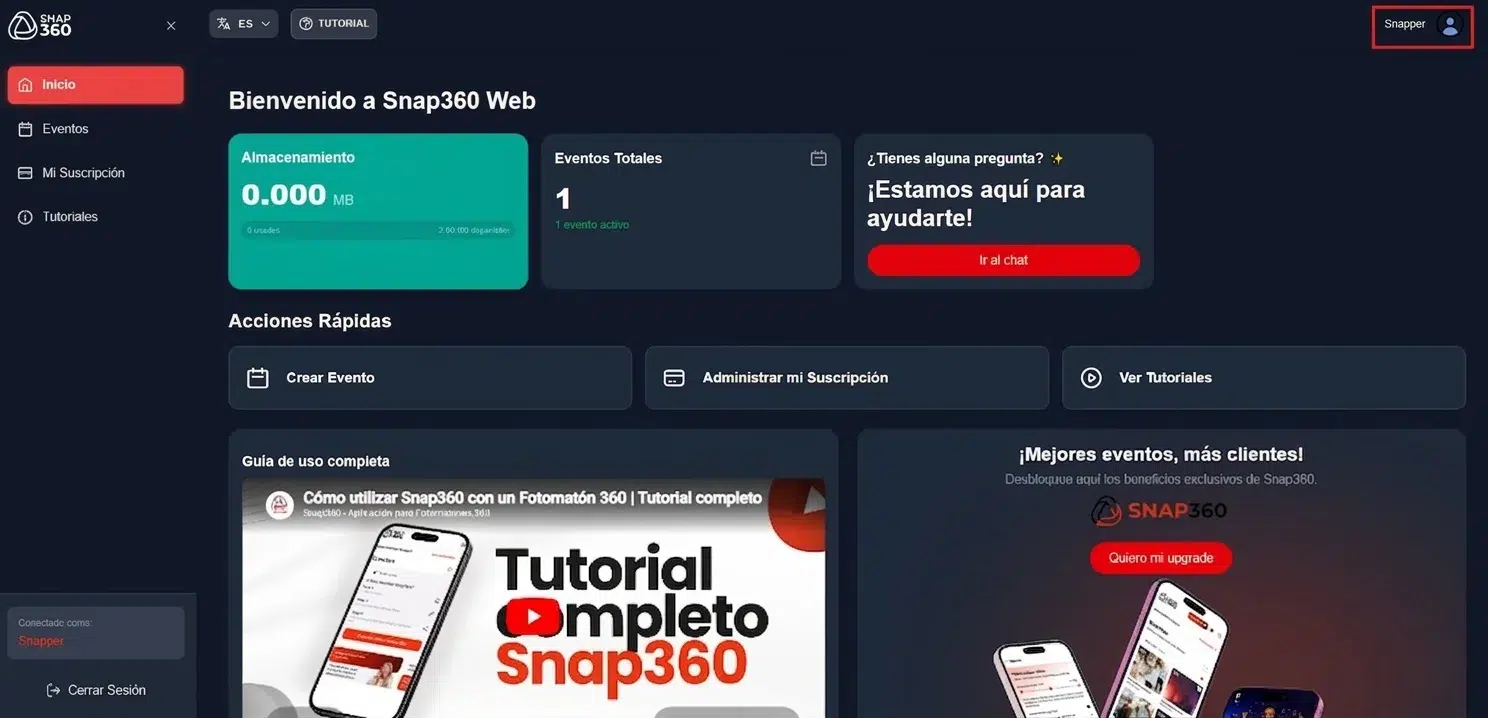
Snap360 event management and storage from a computer
Free Plan Questions

What People Ask Before Downloading

Do I Have to Put in a Card?

No. The free plan asks for no payment details and it does not turn into anything on its own. The day you want a plan, you pick it on the pricing page.

How Long Does It Last?

It has no expiry date. You can use it in the low season to get ready and decide when it suits you.

Can I Use It at a Real Event?

Yes, plenty of people start that way. If you are charging for the event, look at the plans first: the full version is built for exactly that.

Does It Work Without Internet?

Yes. You can record offline and the videos are kept on the device. When the connection is back, they upload and are delivered as always.

What Do I Need to Start?

The app and your 360 booth, the one you already have. Snap360 gets along with any spinner platform on the market.

And When I Want the Full Plan?

You pick it on pricing, from just 19.99 € a month, and the tax of your country is added at checkout. Buying here works out 20% cheaper than inside the app.

Download It and Try It This Weekend

No card and no commitment. The worst that can happen is that you find out it was not for you.

Snappy checking Snap360Web on the computer, with a mini figure and a mug on the desk
See Plans Tutorials