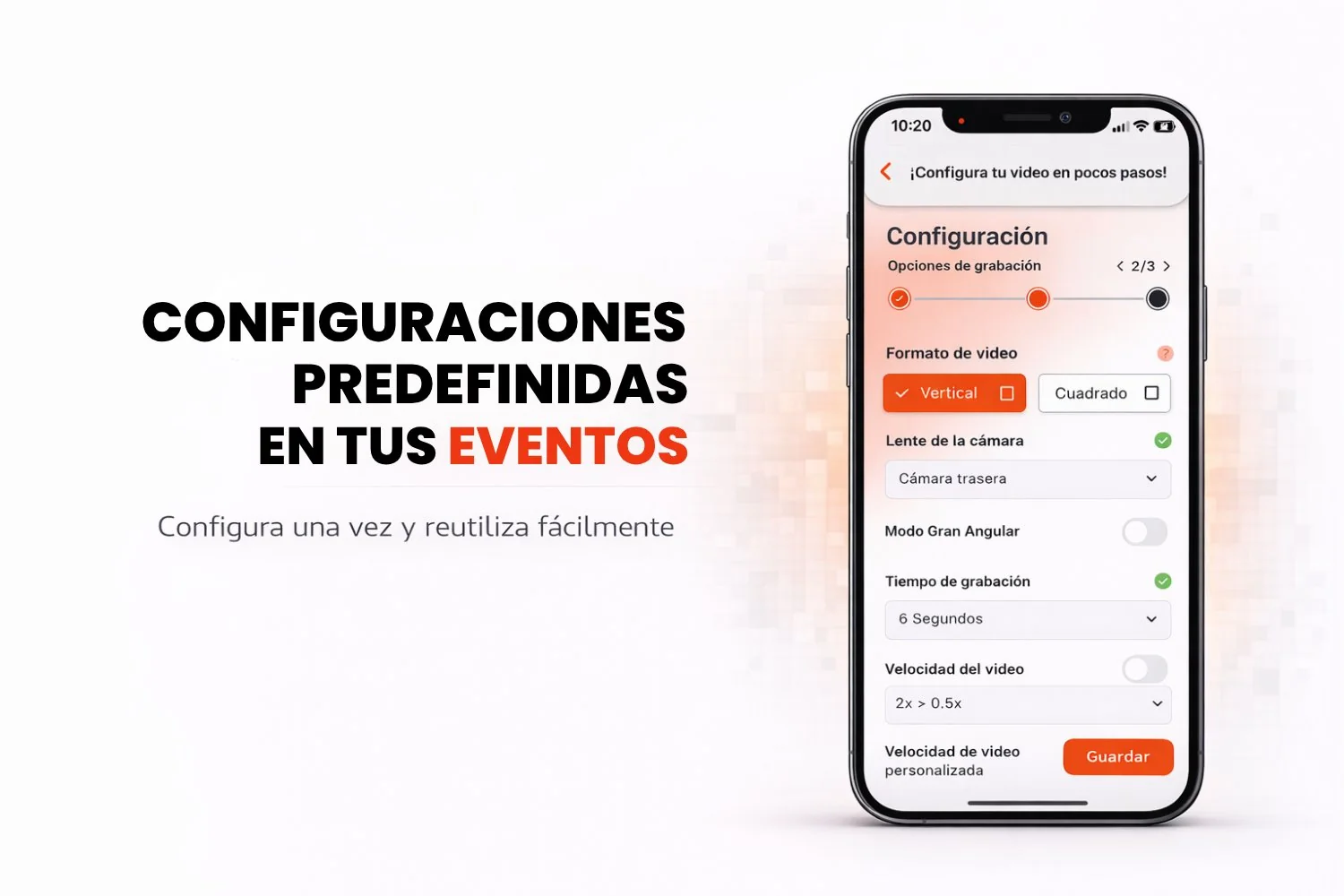
At Snap360 we know your time matters, especially when you are in the middle of an event and need to start recording fast. That is why the presets feature lets you create events faster and with less fuss. It automatically loads the setup you use most, so you never have to waste time adjusting every single parameter. With presets, all you do is pick your event and start recording right away.
What Do Presets Set Up Automatically?
The presets feature in the Snap360 photo booth app automatically sets the following parameters to your usual configuration:
Video format: Vertical or Square, depending on what you normally use.
Camera lens: Front or Rear, for a better perspective.
Wide-angle mode: wide-angle mode only turns on if you select it yourself.
Recording time and video speed: sets the length and the speed to your preferences.
Countdown length: sets the countdown so it is ready to go instantly.
Flash settings: the flash setting has to be turned on by you.
Boomerang mode: turns boomerang mode on or off depending on what you need.
With this option, you never have to set everything up by hand every time you create an event. Snap360 does it for you.
Why Use This Feature?
Fast and efficient: if you record videos regularly, these settings adjust themselves automatically. All you do is tap to start recording.
Total flexibility: even though the 360 photo booth app loads your default settings, you can change any value at any time before you start recording.
Ideal for new Snappers: if you are new to Snap360, the app loads the factory default configuration, so you can create events without complications or extra decisions.
No wasted time: this feature saves you time and effort, so you can record your videos without losing time on settings and focus on capturing incredible moments.
How Do You Use Presets?
Using presets in Snap360 is very simple:
Open Snap360 and create your event.
Go into the event settings and you will see the app load your preferred configuration automatically.
If you want, you can adjust any parameter before you start recording, but if everything is ready, just tap "Start recording" and you are set.
Conclusion
With presets in Snap360, creating events and getting your first recording going has never been this fast or this easy. It simplifies your workflow so you can focus on what really matters: capturing special moments with the perfect setup for you. Whether you use the 360 photo booth app for social events, corporate events or any other occasion, presets make every recording more efficient.
Start your 360 event without wasting a second.
Frequently Asked Questions
What Are Presets in Snap360?
Presets are automatic settings that load the options you use most, so you can start recording without losing time adjusting every parameter.
Can I Change the Settings After Using a Preset?
Yes, you can change any preset value at any time before recording, which gives you total flexibility.
Is It Easy for New Snappers?
Absolutely. If you are new to Snap360, the app loads a default configuration so you can get going without any complications.
Which Settings Are Adjusted Automatically by Presets?
Snap360 automatically sets the video format, camera lens, video speed and the countdown length.