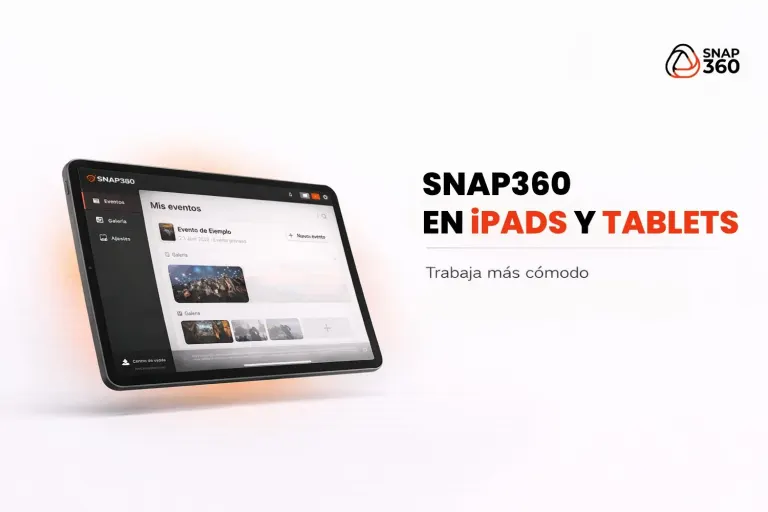
Snap360 connects a compatible Canon EOS to the iPad by cable: the app triggers the shot, retrieves the photo, places it in the event template and offers QR delivery or AirPrint printing with the appropriate setup. It is how you get DSLR quality in an iPad photo booth.

Canon is the brand we built our camera connection around and the one we recommend for photos. Everything the photo booth does is in the iPad photo booth app, and if your booth runs on a PC, the Windows version also works with Canon and is coming soon.
Quick Summary
- Which cameras: Compatible Canon EOS cameras by cable; check your exact model before subscribing.
- Where it works today: on the iPad, with the SNAPPHOTO Plan.
- What the app does: With a compatible Canon EOS connected by cable, Snap360 captures the photo and places it in the template. Printing from the iPad uses AirPrint through a compatible bridge or print server. The Windows version is still coming soon.
- What is coming soon: the Windows version, with the Canon connected by USB.
- For 360 video: you do not need the DSLR, it records with a phone, a tablet or a GoPro.
Canon: A Short History and Cameras for Events
Canon was founded in Tokyo in 1937, and in March 1987 it launched the EOS system with the EOS 650, the autofocus SLR that debuted its EF lenses. EOS has since become the name of its DSLRs and of its R series mirrorless cameras, and it is one of the brands you see most in professional photo booths.
These are examples from the EOS family, not a guaranteed Snap360 compatibility list. Confirm your exact model, cable and adapter before subscribing:
- Entry level: EOS 2000D (Rebel T7), EOS 250D (Rebel SL3) and EOS R100.
- Mid range: EOS 850D (Rebel T8i), EOS 90D, EOS R50 and EOS R10.
- High end: EOS R8, EOS R6 Mark II and EOS 5D Mark IV.
How to Set Up a Canon Photo Booth with Snap360, Step by Step
- Connect the camera. The Canon connects to the iPad by cable, with the adapter that matches your iPad model.
- Create the event. Pick the format (strip, single print or square) and build the template with your client's logo and colors.
- The guest steps up. They tap the screen, see the countdown and the app fires the DSLR.
- The photo comes out ready. The app pulls the full-resolution image and places it in the template, with no manual editing.
- It prints and it is shared. Printing from the iPad requires an AirPrint-accessible printer. USB printers need a compatible bridge or print server; joining the network alone is not enough. Confirm the printer model and setup before the event.
What Works with Canon Today and What Is Coming Soon
| Where | Status | What it means |
|---|---|---|
| iPad (SNAPPHOTO Plan) | Works today | Compatible Canon EOS cameras by cable; check your exact model before subscribing. |
| Windows PC (SNAPPHOTO for Windows) | Coming soon | Canon EOS by USB, controlled from the software. It is coming soon and has a launch list. |
| 360 video on a platform | Not needed | 360 video is recorded with a phone, a tablet or a GoPro, not with the DSLR. |
To confirm your equipment before subscribing, write to us before you sign up To follow the Windows version, which is not available yet: Join the List.
What If You Shoot Another Brand?
Nikon cameras do not work on the iPad yet, and neither do Fujifilm cameras: we explain both in Nikon photo booth and in Fujifilm photo booth. For printing, see how Snap360 works with the DNP photo booth printer.
To try Snap360 before you pay anything, there is a Free Plan that never expires: Start Free with Snap360.
Frequently Asked Questions
What Photo Booth Software Works with Canon Cameras?
With a compatible Canon EOS connected by cable, Snap360 captures the photo and places it in the template. Printing from the iPad uses AirPrint through a compatible bridge or print server. The Windows version is still coming soon.
Which Canon Cameras Work with Snap360?
The iPad photo connection uses compatible Canon EOS cameras by cable. Being part of the EOS family does not by itself confirm compatibility: send us the exact camera model, iPad and adapters before subscribing.
Can I Use the Canon for 360 Videos?
You do not need it. 360 video is recorded with a phone or tablet mounted on the platform, or with a GoPro. The Canon is for the photo booth, and with the DIAMOND PRO Plan you get photo and 360 video features.
How Do I Print the Photos from the Canon?
Printing from the iPad requires an AirPrint-accessible printer. USB printers need a compatible bridge or print server; joining the network alone is not enough. Confirm the printer model and setup before the event. SNAPPHOTO for Windows is not available yet. The integration is planned for that version, with no confirmed availability date. You can join the waiting list.