iPhone, Android or GoPro: The Best Camera for Your 360 Photo Booth
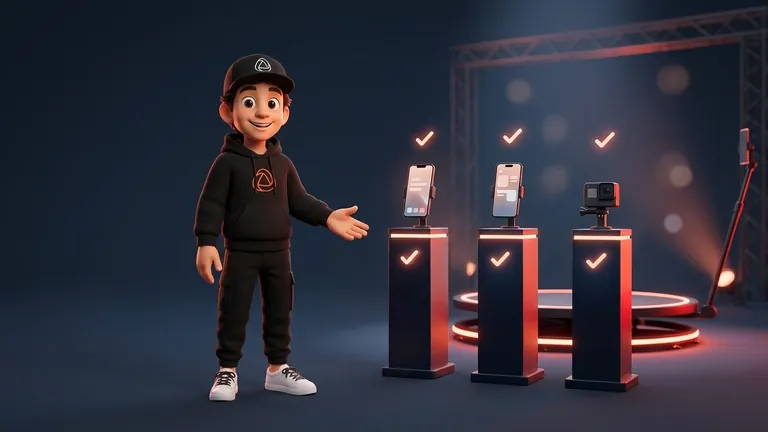
If you’re weighing iPhone vs GoPro for your 360 photo booth, here’s the short answer: with an iPhone or Android mounted on the arm, you can start working from your very first event, while a GoPro makes sense when you want a camera dedicated to video and don’t mind adding one more step to your workflow. Both options work with Snap360App, and the choice depends more on how you like to operate than on the spec sheet.
This guide compares all three options from a Snapper’s perspective: image quality, slow motion, stability, low-light performance, arm mounting, battery life, and the time between when the guest steps off the platform and when they receive their video. We’re not listing performance numbers by model because they change with every generation. Instead, we’ll show you what to look at and how to test it.
At a Glance
- iPhone or Android: records, edits, and delivers the video on the same device. It’s the most direct way to get started, and you can try it with the Free Plan.
- GoPro: the app controls the camera, starts and stops recording, and pulls the video onto the phone to edit and deliver it. It’s included in the PRO and DIAMOND PRO plans.
- Slow motion: frames per second and lighting matter more than resolution.
- Before you sell: record a test with your lighting and your arm setup, then check the result on a phone.
How Each Option Works in Snap360App
Using the Phone or Tablet Camera
Mount the iPhone or Android in the arm holder and Snap360App does the rest: it records, adds music, the frame, and the intro and outro images, then delivers the video by QR code or link from the phone itself. You can record with the rear camera or the front camera, so guests can see themselves while they spin. The same app also works on iPad and Android tablets, and system requirements are listed on the compatibility page.
Using a Connected GoPro
Snap360App also works as 360 photo booth software for GoPro: it connects to the camera over Wi-Fi or USB. From the phone, you control the camera, start and stop recording, and the video transfers automatically to the phone, where it’s processed and delivered without ever leaving the app. Current compatible models are HERO7 through HERO13, including the HERO11 Mini.
Two things to keep in mind: recording is done vertically, with both the camera and the phone positioned vertically, and GoPro integration is included in the PRO and DIAMOND PRO plans. The full step-by-step process, including the permissions your phone will ask for, is in the guide to connecting a GoPro to Snap360.
iPhone vs GoPro vs Android: A Point-by-Point Comparison
Image Quality
A recent high-end phone and a current GoPro both deliver more than enough image quality for a video that will almost always be watched on a phone screen. What guests notice depends far more on lighting, framing, and how stable your setup is than on the camera name. If you’re unsure, record the same spin with both options and compare them on a phone, which is where the video will actually be viewed.
Slow Motion and Frames Per Second
Slow motion depends on how many frames per second (fps) the camera records: with too few, the video will look choppy once slowed down. Recent phones and GoPros offer high-frame-rate modes, but almost no camera gives you maximum resolution and maximum fps at the same time, so you have to choose. We explain this with examples in the resolution and FPS guide. In Snap360App, slow motion is adjusted with each event’s video speed, and you can change it in sections at the beginning, middle, and end.
Mount Stability
The platform arm rotates, and any looseness will show up in the video. Here, the camera matters less than the mount: the phone or GoPro needs to be secured properly, centered, and free from vibration. A GoPro is compact and lightweight; with a phone, make sure the clamp holds your model firmly, especially if it’s large or has a case on it.
Low Light
In a dark ballroom, every camera struggles, and even more so in slow motion because each frame gets less light. The fix isn’t switching cameras. It’s bringing your own continuous front-facing lighting. We cover that in the guide to 360 photo booth lighting.
Battery, Setup, and Live Operation
Battery
With a phone, all the work (recording, processing and delivery) happens on the same device. With a GoPro, you have two batteries to watch: the camera’s and the phone’s. It’s also smart to start with the GoPro fully charged and with space available on the SD card. For long events, plan charging around whatever setup you use. Neither option lets you ignore power planning.
From Recording to Delivery
This is what guests notice most. With a phone, the video is recorded and edited on the same device, with no in-between steps. With a GoPro, there’s one extra step: the app transfers the video from the camera to the phone before processing it, and it does that automatically. In both cases, the guest receives the video by QR code or link, and you can start recording with an external remote so you don’t have to touch the screen.
The Best Camera for a 360 Photo Booth: When to Choose Each Option
- Choose a phone if you’re just starting, if you want the simplest setup with fewer moving parts, or if you want to test things with the Free Plan before paying.
- Choose a GoPro if you already own a compatible model, if your arm is designed around it, or if you prefer the phone to focus on control and delivery.
- Between iPhone and Android, go with the one you already know and the one that gives you the best high-frame-rate recording within your budget. Snap360App works on both.
If you’re still not sure, start with the phone you already have: download the app for free, create an event, and record a few test spins. If you later want to work with GoPro, compare plans on the pricing page.
Frequently Asked Questions
iPhone vs GoPro for a 360 photo booth: which is better?
It depends on your workflow. With an iPhone, or with an Android, you record, edit, and deliver on the same device, and it’s the easiest way to get started. A GoPro is a good fit if you want a camera dedicated to video and the extra transfer step to the phone is worth it to you, especially since the app handles that step automatically.
Can I use Snap360App with a GoPro?
Yes. Snap360App connects by Wi-Fi or USB to HERO7 through HERO13 models, including the HERO11 Mini, controls recording, and transfers the video to the phone for editing and delivery. The integration is included in the PRO and DIAMOND PRO plans.
Does Snap360App work on Android and iPhone?
Yes, it works on iPhone, iPad, Android phones, and Android tablets. The system versions you need are listed on the compatibility page.
How many fps do I need for good slow motion?
The more frames per second your camera records, the slower and smoother your slow motion can look: a video recorded at 120 fps and played back at 30 fps will appear four times slower. The tradeoff is that high fps needs more light and usually reduces resolution.
Besides the camera, do I also need a 360 platform?
Yes. The platform creates the rotation and the camera mounts on its arm; Snap360App records, edits, and delivers the video from the phone or tablet.