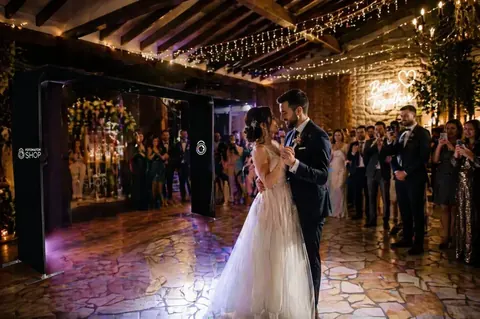
A 360 photo booth is a spinning platform that guests stand on while an arm with a camera rotates around them and records a short video, usually in slow motion. An app adds the music, the event overlay and the effects, and guests get the video on their phone within seconds, ready to post.
You will also hear it called a 360 video booth, 360 spinner, 360 booth or 360 platform: different names for the same thing. If you want to turn it into a business, read the guide on how to start a 360 photo booth business.
Key Takeaways
- What it is: a spinning platform with an arm that records guests on video.
- What it delivers: a short slow motion video with music and the event overlay.
- What it needs: the platform, a phone, tablet or GoPro, your own lighting and an app.
- How guests get it: by QR code, link or AirDrop, within seconds.
- Where it is used: weddings, birthdays, quinceañeras, corporate events and brand activations.
How a 360 Photo Booth Works, Step by Step
- The guest steps onto the platform. Alone or in a small group, always within the weight and headcount the base is rated for.
- The arm spins and records. The operator starts each recording with an external remote or the app starts it automatically with motion detection.
- The app edits the video. It applies slow motion, speed ramping, the music and the event overlay, with no manual editing.
- The guest takes it home. They scan a QR code and the video is on their phone within seconds.
- Everything lands in the event gallery. Whoever booked you sees every video in one place, and during the party you can play them on a TV screen.
What You Need for a 360 Photo Booth
There are five pieces. You buy the platform and the lighting once; you already own the rest or pay for it monthly:
| Piece | What it does | What to know |
|---|---|---|
| Spinning platform | The base guests stand on and the arm that rotates | There are floor and overhead models. Check the weight rating and whether it fits through the venue door |
| Phone, tablet or GoPro | The camera that records from the arm | A recent phone is enough to start. A GoPro performs better in low light |
| Your own lighting | Lights up faces, because slow motion needs a lot of light | A ring light or LED panels facing the guests. Venue lighting is almost never enough |
| 360 photo booth app | Records, edits and delivers the video | It is what turns a spin into a video people share |
| Internet | Uploads the video for QR code delivery | Snap360 records offline and uploads the videos when the connection comes back |
What 360 Photo Booth Software Does
The platform only spins. Everything the guest sees in their video is done by the software, which is why it is the piece that shows the most in the result. A 360 photo booth app takes care of:
- Recording with the device's rear or front camera, or with a connected GoPro.
- Editing the video with slow motion, speed changes and effects, with no manual editing.
- Branding the event: the overlay, the logo, the music and the intro and outro images.
- Delivering the video on the spot by QR code, link or AirDrop.
- Storing every event in the cloud, with a gallery for whoever booked you.
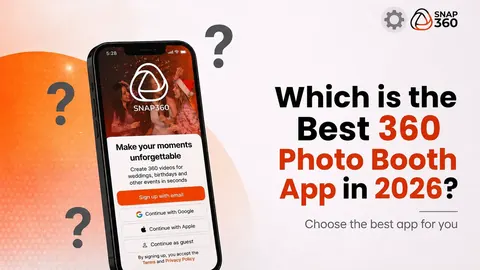
Snap360 does all of that on iPhone, iPad and Android with one account (iOS 15 and Android 7 or later). If you are comparing options, read the guide to the best 360 photo booth app in 2026.
360 Photo Booth vs Photo Booth vs Glambot: The Differences
| Format | What it delivers | Best for |
|---|---|---|
| 360 photo booth | A short slow motion video that spins around the guest | Parties where people want to move and post content |
| Photo booth | A photo or a photo strip, printed or digital | Weddings and events that want a printed keepsake |
| Glambot | A slow motion video shot by a robotic arm | Red carpets, galas and product launches |
With Snap360 all three fit in the same app: the 360 video on a spinner platform, the photo booth for iPad and iPhone and the glambot. For more formats, see the most popular photo booths for events.
Where a 360 Photo Booth Works Best
- Weddings: the overlay with the couple's names and their song. More ideas in these wedding photo booth trends.
- Birthdays and quinceañeras: loud music, groups and videos that hit social media the same night.
- Corporate events: the logo on every video and a screen that plays the videos live.
- Brand activations: every guest takes home a branded video and posts it. See the guide to 360 photo booth brand activations.
- Christmas and New Year's Eve: seasonal backdrops, lights and overlays, with these Christmas photo booth ideas.
How to Get Started with a 360 Photo Booth
If you already own a platform, the next step is your first event: here is how to set up a 360 photo booth at an event and 360 photo booth ideas guests actually share. If you don't have one yet, start with the numbers in how much to charge for a 360 photo booth.
To test the software on your own platform before you pay anything, Snap360 has a Free Plan that never expires, and the PRO Plan for 360 video is $31.99 a month when you are ready: Start Free with Snap360.
Frequently Asked Questions
What Is a 360 Photo Booth?
A 360 photo booth is a spinning platform guests stand on while an arm with a camera rotates around them and records a short slow motion video. An app adds music, the event overlay and effects, and the guest gets the video on their phone right away by QR code.
How Does a 360 Photo Booth Work?
The guest steps onto the platform, the arm spins and the camera records for a few seconds. The app applies slow motion, music and the overlay with no manual editing, then generates a QR code so the guest can download the video. The operator starts each recording with a remote or by motion detection.
What Do You Need for a 360 Photo Booth?
A spinning platform with its arm, a phone, tablet or GoPro to record, your own lighting such as a ring light, and a 360 photo booth app. You need internet to deliver by QR code on the spot, but not to record: Snap360 keeps recording offline.
What App Is Used for a 360 Photo Booth?
An app that records, edits the video and delivers it on the spot. Snap360 runs on iPhone, iPad and Android, adds overlays, music and effects, delivers by QR code and keeps recording offline. Its Free Plan never expires, so you can test it on your own platform before you pay.
What Is the Difference Between a 360 Photo Booth and a Photo Booth?
A photo booth delivers a photo or a photo strip, often printed. A 360 photo booth delivers a video that spins around the guest. They are different services and you can offer both: with the Snap360 DIAMOND PRO Plan you run photo and 360 video on one account with a single gallery.