360 videos changed the way we capture the moments that matter, from weddings and birthdays to corporate events and product launches. But recording a 360 video is not enough on its own: the speed and the rhythm of the playback can be the difference between a clip that blends in and one that really lands.
With the speed ramping feature in Snap360, the 360 photo booth app, you can customize the speed of your 360 videos at three key points: the start, the middle and the end. It lets you build dynamic effects, dramatic transitions and moments that pull out the best of every recording, so your events look more memorable and more professional.
What Is the Speed Ramping Feature in Snap360?
It is an advanced tool inside the 360 photo booth app that lets you control the playback speed of your 360 videos at three strategic points:
Start: Speed up or slow down the opening to grab attention straight away.
Middle: Adjust the speed through the central section to highlight a special move or an important moment.
End: Speed up the close to give the clip energy and hold the excitement until the last second.
With this feature, your 360 videos can go from flat to cinematic in seconds, which makes the whole thing far more watchable and far more professional.
Why Use Custom Speed in Your Videos?
Grab attention immediately: A fast opening keeps viewers hooked from the first second.
Highlight the special moments: Slow down the middle of the video to show off transitions, spins or key action.
Close with energy: Speed up the ending for a dynamic finish that holds the excitement to the last second.
The tool works just as well for social events like weddings and birthdays as it does for corporate events, conferences or product launches.
Where Do You Find the Feature in the App?
Using speed ramping in Snap360 is simple. Just follow these steps:
Select an existing event: Open Snap360 and choose the event where you want to apply the speed ramp.
Go to "General settings": Find the option "Camera and formats"
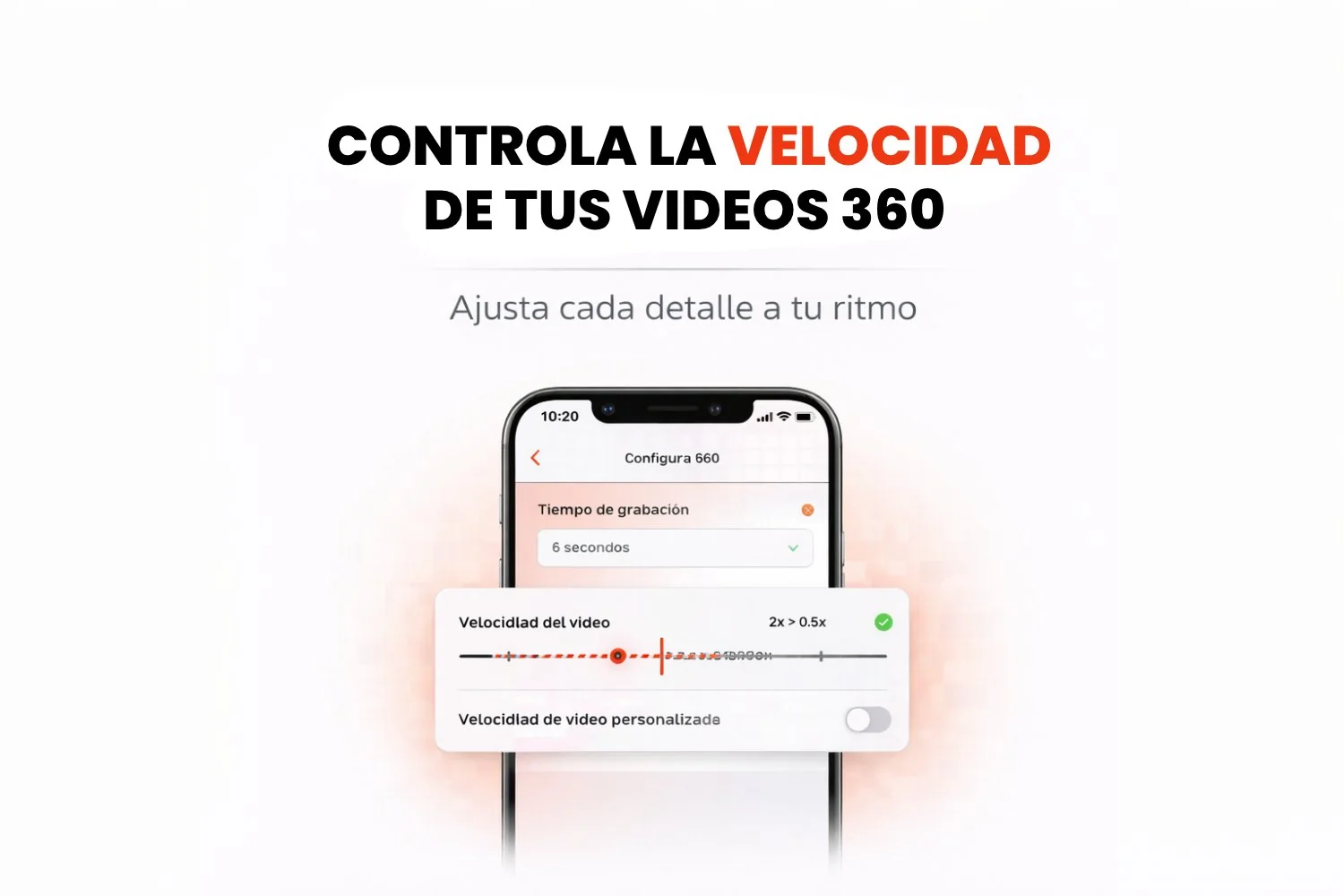
Turn on "Custom video speed": Scroll down and switch this option on.
Move the sliders: You will see three sliders, one for each key point of the video: Start, Middle and End. Set each one to the speed you want.

Conclusion
The speed ramping feature in Snap360 gives you full control over the rhythm of your 360 videos, adding polish, creativity and emotion to every recording. Whether you are an event planner, a content creator or a 360 photo booth operator, it is the tool that makes your events stand out and your videos land.
With Snap360, your 360 videos do not just document the moment, they make people live it in a way they will not forget.
Frequently Asked Questions
What Is Snap360?
Snap360 is a photo booth app for capturing and sharing high quality 360 videos, built for events.
How Do I Get Access to the Snap360App Features?
Download the app from the App Store or Google Play and you can start using every feature right away.
Can I Customize the Videos I Record?
Yes. Snap360 gives you plenty of customization options, including speed ramping, custom overlays and music, so every video comes out different.
Can I Share the Videos on Social Media?
The app is built to work with social media, so you can share the videos you record in real time.
Is Snap360 Easy to Use?
Yes. The interface is intuitive enough for anyone to pick it up without complications.