Switching Photo Booth Software: A Checklist to Move Your 360 Frames, Music and Templates
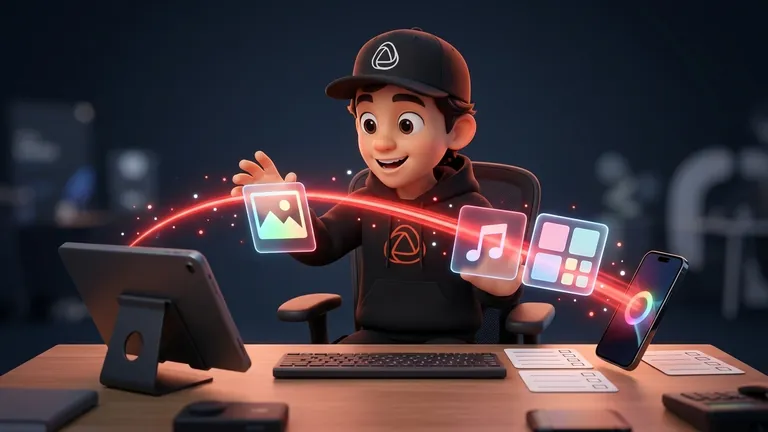
Switching photo booth software does not mean putting your business on pause. If you take stock of your frames, music, and event types, rebuild them calmly in the new app, and test it at a real event before paying, the change will go unnoticed in front of the client. This guide is a checklist for the Snapper who already has a booth and another app, and feels they have outgrown their photo booth app.
Signs Your Current App Is Holding You Back
- You pay every week even when you have no event. A weekly subscription that auto-renews costs the same in January as it does in June.
- Every extra means another bill. Storage, features, or designs that are charged separately.
- Cancellation is not clear. You are not really sure what you are paying for or when it renews.
- You cannot brand it the way you want. Your client’s logo, an animated frame, or the event music take more work than they should.
- Delivery gets stuck. The guest waits too long or never receives the video.
If two or more sound familiar, it is worth comparing options. In the comparison of booth apps with a weekly plan, you will see what changes depending on how they charge you. In Snap360App, for example, the weekly plan is a one-time purchase: you pay once, it lasts 7 days, and it does not renew.
Before You Switch: Take Inventory
- Frames and designs: keep the ones you actually sell (wedding, brand, birthday) and save the original files: logos, backgrounds, and GIFs.
- Music: list the songs you use for each event type and where each one starts.
- Opening and closing images: the screens that appear at the beginning and end of each video.
- Recording settings: format, duration, speed, and whether you use boomerang.
- Delivery: how your guests receive the video and how long your client needs access to the gallery.
- Events already booked: which dates are confirmed and what setup each one requires.
Do not migrate everything. This is a good time to get rid of designs you do not use and keep one base template per event type.
How to Rebuild Frames, Music, and Events in Snap360App
Frames and Client Branding
In the event settings, under “Visuals and music”, you will find the frame gallery. From there, you can create a custom frame with your images and text, such as the couple’s names or the date, or import an animated GIF frame under 5 MB. To make sure your client’s logo appears on every video, follow the guide to add your branding and logo.
Music
Upload your songs to the event and trim them using the sound wave so the chorus hits at just the right moment. Your own music is included in the PRO and DIAMOND PRO plans.
Settings and Event Templates
In “Camera and formats”, you choose the lens, recording time, video speed, countdown, and boomerang effect. Once you have a standard event ready, duplicate it: the copy keeps the format, lens, speed, opening and closing images, frames, and music, and it starts empty for recording. With preset values, every new event starts with your usual settings.
Guest Delivery
The guest receives their video right away by QR code or link. You have access to each event for 30 days on the Free Plan and for 12 months on paid plans, so your client can come back and find their videos later.
Test It at a Real Event Before You Pay
The Free Plan never expires and does not require a card, so you can set up a test with no commitment. It includes full 360 recording on iPhone, Android, or iPad (on one device), frames and filters from the gallery, and delivery by QR and link. Your own music, GoPro, remote control, and offline mode are included in PRO.
- Pick a smaller date or a demo with friends, not the biggest wedding of the year.
- Use a base template and make sure the result looks the way you want.
- Time it from the moment the guest steps off the platform to the moment they have their video.
- Note what fails and fix it before the next event.
Once you are sure, compare plans on the pricing page. And if you are part of the PBX community, check out the PBX offer, which includes three months of DIAMOND PRO.
Common Mistakes When Switching Photo Booth Software
- Migrating everything instead of keeping only what you actually sell.
- Debuting the app at the most important event of the season.
- Rebuilding designs on the day of the event.
- Canceling the old app without first checking when it renews and which events you still have booked with it.
- Deciding based only on price without testing the full workflow first.
If you want to start today, download Snap360App free, rebuild your most common event, and test it on your next smaller date.
Frequently Asked Questions
When does it make sense to switch 360 photo booth apps?
When the app charges you for weeks when you are not working, every extra is billed separately, you cannot brand it the way your client wants, or delivery often fails. If several of these apply to you, test another app at a smaller event before deciding.
Can I move my frames from another app to Snap360App?
They are rebuilt from your original files: you create the frame in the app with your images and text, or import your animated GIF frame under 5 MB. That is why it is a good idea to save logos and backgrounds before switching.
Can I try Snap360App before paying?
Yes. The Free Plan never expires and does not require a card: it includes full 360 recording on one device, frames and filters from the gallery, and delivery by QR and link.
Does the Snap360App weekly plan renew automatically?
No. It is a one-time purchase: you pay once, it lasts 7 days, and it does not renew. It is designed for a single event or for testing.
How long are my event videos available?
You have access to each event for 30 days on the Free Plan and for 12 months on any paid plan.