At Snap360, the 360 photo booth app, we keep improving the customization tools so your 360 videos hit harder and feel more like yours. The Music Trim feature gives you more control over your events, letting you use the exact part of your favorite song. Trimming the audio yourself means more creativity and more flexibility when you build the memories.
How Does Music Trim Work in Snap360?
To use the feature, just follow these simple steps:
- Open your event: If you are creating the event, head to the customization section; if the event already exists, open it and edit.
Go to the "Visuals and music" section: Select the event you are creating or editing and head to the customization option.
Find the "Music (optional)" option: This is where you add the music to your event.
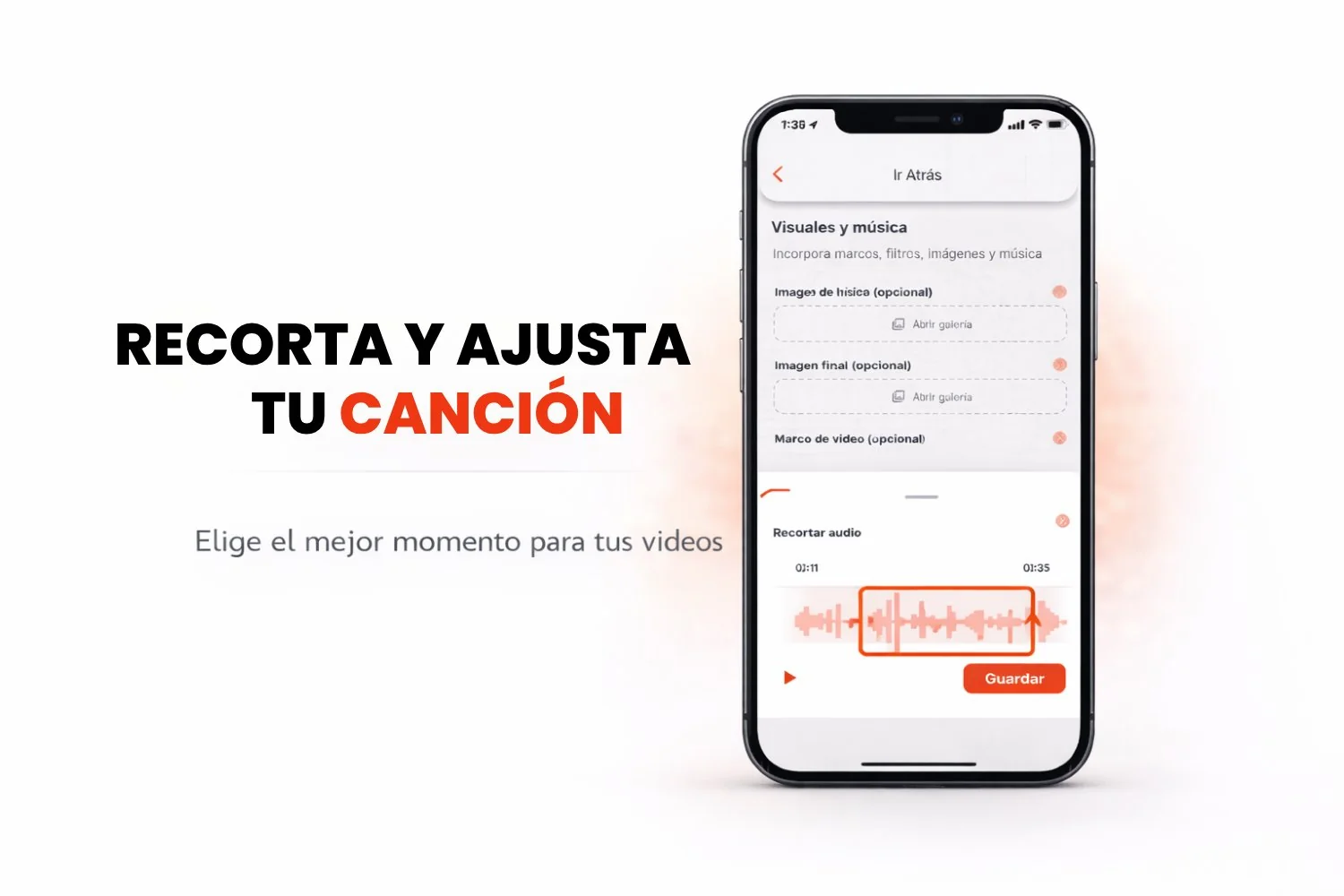
Open the three dot menu (•••) and tap "Trim": Next to the music file you uploaded to the app, open the menu on the right side and tap the "Trim" option.
Edit your audio using the visual waveform: The interface shows you a waveform so you can see the audio peaks. Use the start and end markers to select the part of the song you want.
Set the start and end of the trim: Move the markers until the music is cut the way you want. Make sure the audio fits your video perfectly.
💡 Tips to Get the Most Out of Music Trim
Pick the best moment of the song: Use the trim to choose the part that means something. It will make the video and the music line up much better.
Trim while you create the event: Do it straight from the event settings, quick and efficient.
Use the waveform as your guide: The peaks usually match the high points of a song, so you can use them as a reference to fit the music to the video.
Frequently Asked Questions
What Music Format Can I Use?
Right now Snap360 supports music files in mp3. Make sure your audio is in that format so you can customize your event.
What Is the Maximum Length I Can Trim from a Song?
There is no limit on how long the trim can be, though 360 videos generally work better with music that stays around 30 to 60 seconds.
Is There a Way to Preview the Trim Before Finishing It?
Yes. You can preview the trimmed section inside the audio editor before you apply the changes.
Can I Trim the Music While Recording the Event, or Do I Have to Do It After?
Music trimming happens while you create the event or when you edit it. You can adjust the music and see how it syncs with the important moments of your video.
Can I Use Copyrighted Music in Snap360?
When you use Snap360, the 360 photo booth app, the music you use should be royalty free or covered by the permissions you need, to avoid legal trouble. You can go for royalty free music or use songs of your own.