A photo booth rental package is a fixed offer that bundles service hours, customization and delivery under one name and one price. What works best for most 360 photo booth businesses is three packages: a basic one, a full one (the one you actually want to sell) and a premium one. With three options, clients compare your packages with each other instead of comparing you with another vendor.
This guide covers how to build them: what goes in each tier, which add-ons to offer and how to present them. If you are still working out your rates, start with how to start a 360 photo booth business and what to charge per event.
At a Glance
- Three packages: basic, full and premium. The middle one is the one that sells most.
- A visible difference: each tier adds something the client can see, not just one more hour.
- Names that describe the result: the client should understand what they get without reading the fine print.
- Add-ons on the side: extra hours, a screen with the videos or printed photos.
- In writing: what each package includes goes into the contract too.
What a 360 Photo Booth Package Includes
Every package, from the simplest to the most complete, answers the same client questions. If one of them is left open, the client will ask by email and the sale cools down:
- Service hours: how long the booth is recording, not counting setup and teardown.
- Setup, teardown and travel: included, or with a surcharge depending on distance.
- Attendant: who stays with the guests during the event.
- Customization: the overlay with the names or the logo, the music and the style of the video.
- Delivery: each video on the spot by QR code, plus the online event gallery for the client.
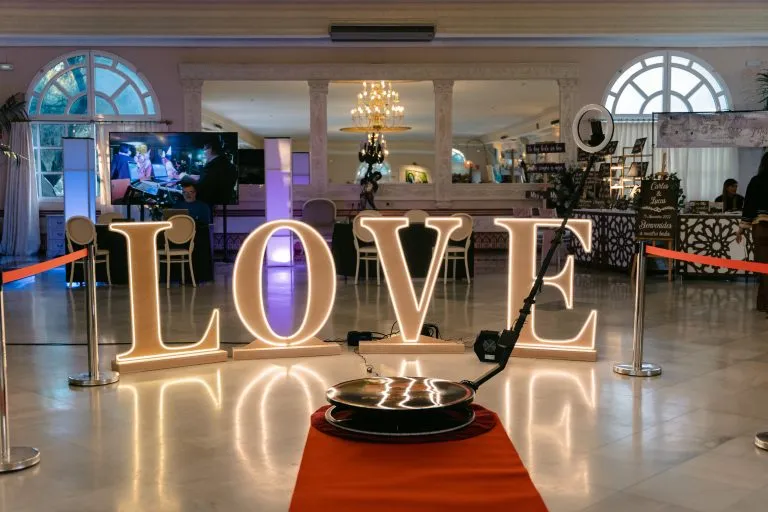
- Props and decor: carpet, stanchions with rope, signs or a backdrop.
Why Three Packages Instead of One
With a single package, the only question the client asks is whether to book or not. With three, the question becomes which one, and you are already inside the decision. The premium package works as an anchor: next to it, the full package looks reasonable. And the basic package exists for clients on a tight budget, without forcing you to lower the price of the other two.
More than three options usually works against you: the client hesitates, asks for time and compares prices elsewhere. If you need more variety, solve it with add-ons, not with a fourth package.
An Example of Photo Booth Packages in Three Tiers
Use this structure as a starting point. You set the hours and prices based on your area and your costs:
| Package | Best for | What it includes |
|---|---|---|
| Basic | Birthdays and small parties | Fewer service hours, an overlay with the event name, music and delivery by QR code |
| Full | Weddings and most events | More hours, a custom-designed overlay, an online gallery for the client, props and carpet |
| Premium | Large weddings and corporate events | Everything above, plus more hours, a live screen with the videos and a second setup or printed photos |
Photo Booth Add-Ons That Raise the Ticket
Add-ons let you adjust a package without rebuilding it. Pick the ones that cost you little and that clients value a lot:
- Extra hours: the easiest one to sell, especially when the party runs late.
- Screen with the videos: showing them on a TV keeps the line moving and shows off the client’s brand.
- Animated overlay: animated GIF overlays give a finish that stands out on social media.
- Company logo on every video: a must at corporate events and brand activations.
- Printed photos: a photo booth next to the 360 platform, with the iPad photo booth app on the same account.
- Second setup: another platform or a glambot at weddings with lots of guests.
How to Name and Present Your Packages
The name should say what the package is for. “Party”, “Full Wedding” and “Brand Event” are easier to understand than “Bronze”, “Silver” and “Gold”, and they help clients picture themselves in one. When you present them:
- Put all three on a single page or PDF, side by side.
- Mark the full package as recommended.
- Show a real video from each tier: it beats any description.
- Write the hours and what gets delivered, not adjectives.
- Make it clear what is an add-on and what it costs.
Packages by Type of Event
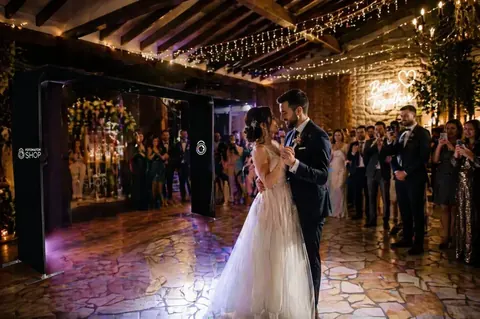
- Weddings: an overlay with the names and the date, the couple’s song and the gallery so the family can watch every video.
- Corporate events and brand activations: the logo on every video, the screen and on-the-spot delivery, because the content is what the brand is paying for. More ideas in the guide to 360 photo booths for brand activations.
- Birthdays and quinceañeras: fewer hours, lots of music and fast delivery so the videos reach social media that same night.
- Holiday and year-end parties: short, repeatable packages, because in peak season you can have several events in the same week.
Mistakes That Sink a Package
- Packages that only differ in hours. The client picks the cheapest.
- Too many options. More than three packages delays the decision.
- Add-ons with no price. Every question by email is a sale that cools down.
- Promising what you do not control, like instant delivery at a venue with no connection.
- Not putting it in writing. What each package includes has to be in the contract.
How Snap360 Helps You Deliver What You Sell
A package only works if you deliver it the same way at every event. In Snap360 you save each package as an event preset with its overlay, music and delivery method, and apply it to the next event in seconds. If the client asks for a last-minute change, AI overlay generation redoes the design in minutes.
The app records offline and delivers by QR code when there is internet, and on paid plans your events stay stored for 12 months. You can try all of it before you finalize your packages: Start Free with Snap360.
And when a client picks a package, put everything in writing with a photo booth contract.
Frequently Asked Questions
How Many Photo Booth Packages Should I Offer?
Three: a basic, a full and a premium package. With three options, clients compare within your own offer and usually choose the middle one. More than three slows the decision down, so if you need more variety, handle it with add-ons rather than a fourth package.
What Should a Photo Booth Rental Package Include?
The service hours, setup and travel, the attendant, the customized overlay and music, and how guests receive their videos. If you include props, an online gallery or a screen, write that down too, so the client knows exactly what they are booking and there are no surprises.
How Many Hours Should a Package Be?
It depends on the event: a birthday needs fewer hours than a wedding. Usually the basic package covers the peak of the party, and the full and premium packages add hours and value. Always offer extra hours as an add-on for when the party runs late.
Which Photo Booth Add-Ons Sell Best?
Extra hours, a live screen with the videos, the company logo on every video and printed photos. Clients see these add-ons during the event, and they cost you little to prepare if the event setup is already saved in the app ahead of time.
Can I Offer Photo and 360 Video in the Same Package?
Yes. With the Snap360 DIAMOND PRO plan, the same setup runs 360 video and a photo booth on one account, and the client gets photos and videos from the event in a single gallery. It is a good way to set your premium package apart from other vendors.