360 Photo Booth Maintenance, Cleaning and Transport: Cases, Folding and Inspection
To maintain and transport a 360 photo booth well you need a short routine after every event, a rigid case that carries everything together and a full check before the next one. What causes the most failures on site is rarely a major breakdown: it is a worn cable, an uncharged battery or a part left at home.
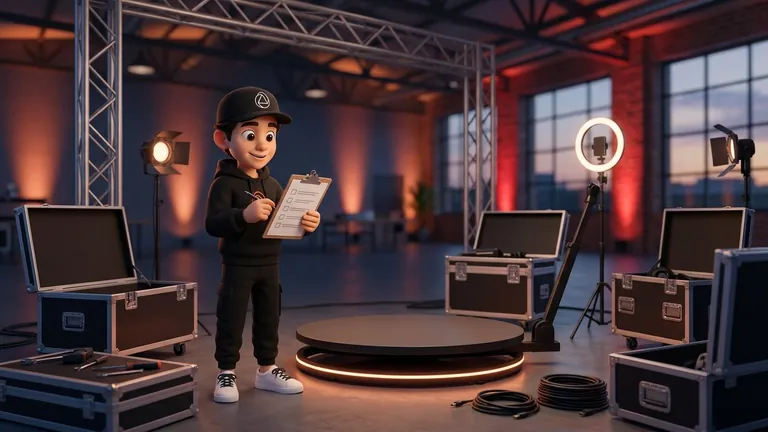
This guide lays out that routine: cleaning, cases and folding, loading the vehicle, a spares kit and periodic inspection. There is little public documentation on maintenance specific to 360 platforms, so we draw on checklists from photo booth providers in general (Touchpix, Booth Junkie, Fotomaster, LA Photo Party), on the manual of a transport case and on practical criteria. We give no intervals or figures we cannot back up: for cleaning and lubricating your specific platform, the manufacturer's manual rules.
At a Glance
- After every event: clean the surfaces, check the cables and leave everything charged. Do not store it dirty or half done.
- Rigid case: case guidance says not to exceed the maximum weight, to close the latches before lifting and to avoid extreme heat and prolonged sunlight.
- Spares: a spare cable, batteries, gaffer tape and zip ties solve most on-site problems.
- Check before every booking: test the whole setup with real test sessions before each event and after any long break.
- Manufacturer's manual: it beats any generic advice on cleaning and lubricating your platform.
Routine After Every Event
What is not done at the venue door piles up. A short routine, always in the same order, keeps the equipment from reaching the next job dirty or damaged. A photo booth rental checklist asks exactly that: whether the booth has been tested and cleaned, and whether accessories have been cleaned and broken ones removed or replaced.
- Power off and unplug before touching anything, and let the lights cool.
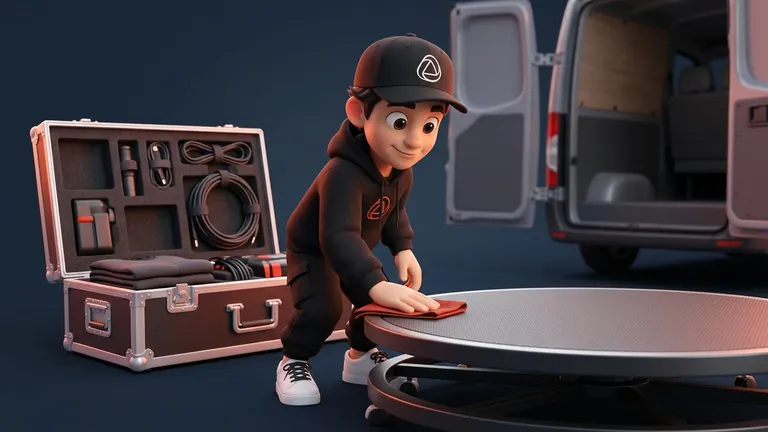
- Clean the surfaces guests touch: the platform, handrails and stands. Use a microfiber cloth, which mirror booth guides recommend for screens and glass, and avoid harsh products unless the manufacturer allows them.
- Look over the cables and connectors for cuts, kinks or loose plugs.
- Check the platform: screws, covers, wheels and anything that moves. No comparable maintenance intervals have been published, so follow the manufacturer's.
- Charge everything (iPhone or iPad, batteries, lights) so the next job does not start half ready.
- Note any issue and fix it before you accept the next booking for that unit.
Cases and Folding
A rigid case with room for every component is the simplest way to avoid forgetting anything. Some manufacturers sell platforms with a case and wheels as standard, precisely to move the unit between events. The manual of a 26.8 inch (about 68 cm) transport case lists rules that apply to any case:
- Do not exceed the maximum weight of the case, because overloading can damage it and what is inside.
- Close the latches before lifting and place it on a level surface when loading and unloading.
- Get help if it is heavy rather than lifting it alone.
- Avoid extreme heat, prolonged direct sunlight and corrosive products.
For folding, the rule is that every part has a fixed place and nothing travels loose. Label the cables, keep screws and adapters in labeled bags and secure anything that can move with velcro or foam. A platform with a welded surface cannot easily be replaced, and thin plates can warp with repeated use, according to one patent description. So before buying, it is worth checking whether worn parts can be swapped.
Loading the Vehicle
There is no published common standard for this part, so these are practical criteria:
- Heavy items low and against the cab: the platform case goes on the floor, never on top of fragile equipment.
- No play: secure cases with straps or other boxes so they do not slide when you brake.
- Electronics out of the heat: a closed car in the sun gets very hot, so do not leave iPhones, iPads, batteries or lights there. Case manufacturers flag the same risk.
- Everything in sight on unloading: what you will set up first goes in last.
- Check the load when you get back: a knock on the road is easier to spot the same day than a week later.
Spares Kit and Pre-Event Inspection
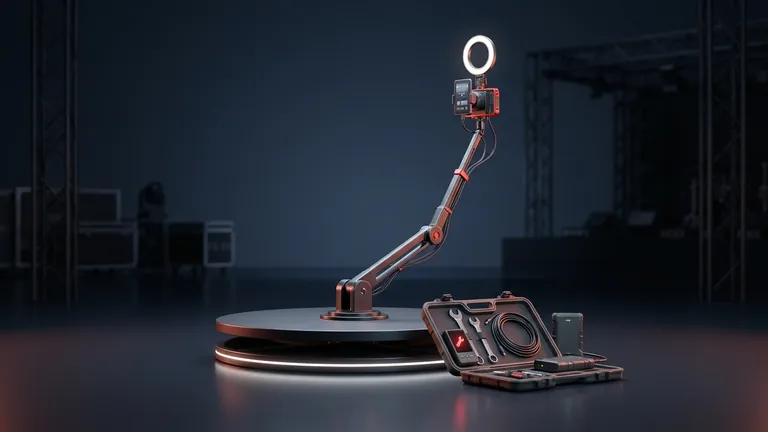
Photo booth provider guides agree on the basics. Touchpix recommends carrying the original charging cable and at least one spare, because cables wear out internally with use, plus a reliable power setup, spare batteries and cards, a second device already set up and a copy of the event settings. It also suggests zip ties, gaffer tape, extension cords and a multi-tool, and running 3 to 5 full test sessions on the day of the event.
| What to check | When | Why |
|---|---|---|
| Cables and power | Before every event | A damaged cable is a frequent on-site failure |
| Batteries and devices charged | The night before | Avoids starting on a low charge |
| Full test session | Before every event | Checks recording, sharing and, if you use it, printing |
| Software updates | During downtime, never at the event | Stops updates from installing mid-job |
| Spares and tools | When packing the case | A cable or a zip tie fixes most minor problems |
The last row is our own practical criterion, not a study result. After a long break, also walk through operation with whoever will staff the booth, as one photo booth software provider advises.
If You Run the Booth: What to Log and What to Automate
Keep a simple log for each unit: date of the last inspection, issues and parts replaced. A single log tells you when a check is due and shows whether a part fails often. To organize your jobs, see how to set up a 360 platform at an event and how to record offline when the venue has no signal.
Snap360 is the software you use to record, customize and deliver videos from an iPhone, an iPad or an Android phone, and it records offline. If you are weighing what to include in your investment, review how much it costs to start a 360 photo booth business. You can see the plans and start with the Free Plan, with no card and no time limit.
Frequently Asked Questions
How Do You Clean a 360 Photo Booth?
Power off and unplug the unit and clean the surfaces with a microfiber cloth, avoiding harsh products unless the manufacturer allows them. For the platform, glass, lights and camera, follow the manufacturer's manual, because there is no common public guide.
How Often Should a 360 Photo Booth Be Inspected?
A short check of cables, screws and moving parts after every event, and a full test before every event. There are no comparable public intervals for specific parts: follow the manufacturer's.
What Case Do I Need to Transport a 360 Photo Booth?
A rigid one with room for every component and accessory, with wheels if it is heavy. Case manufacturers ask you not to exceed the maximum weight and to close the latches before lifting.
How Do You Fold and Store a 360 Platform?
With each part in a fixed place in the case, cables labeled and screws in bags. Follow the folding instructions for your model, because they vary by manufacturer.
Can I Leave the Equipment in the Car?
Avoid leaving electronics in a closed car in the sun: case manufacturers advise against extreme heat and prolonged sunlight. Take the iPhone, iPad, batteries and lights inside.
What Spares Should I Carry?
A spare charging cable, batteries or a reliable power setup, zip ties, gaffer tape, extension cords and a multi-tool, according to Touchpix. If you can, carry a second device already set up.
What Happens if the Equipment Fails at the Event?
It depends on what you planned: with a configured spare device and spare cables the swap is quick. Practice that swap before the event, not during it.