Common 360 Photo Booth Problems and How to Fix Them at the Event
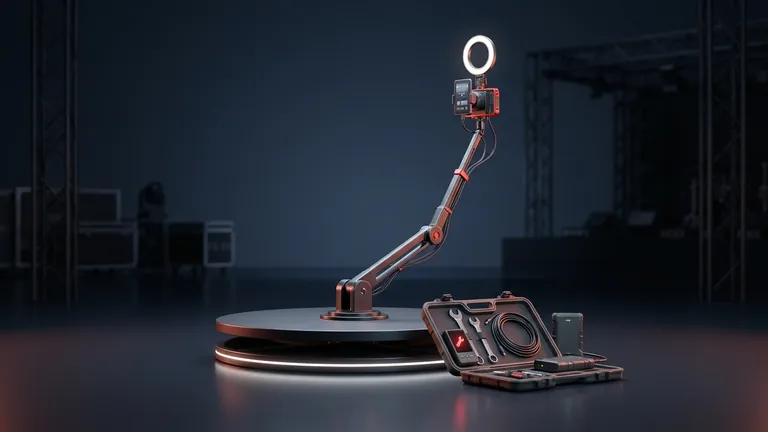
Most 360 photo booth problems come down to four fixes: secure the structure, add light, lengthen the rotation and test everything before the line opens. Shaky video is usually vibration or low light, motion sickness is usually a rotation that is too fast, and connection failures are avoided by recording locally.
This guide goes through each symptom, its most likely cause and what to do. Mind the numbers: there is no industry standard, so we say where each figure comes from and, when there is no comparable source, we give criteria instead of numbers.
At a Glance
- Shake: a 360 booth patent explains that platform vibration can travel to the camera arm when someone jumps on it.
- Blur: almost always low light or a shutter speed that is too slow for the rotation speed.
- Motion sickness: a rotation that is too fast and jerky video cause it; one booth guide recommends 10 seconds or more per revolution.
- Heat: Apple says long video recording warms an iPhone; watch direct sun and charging.
- Connection: trigger delay blurs frames; record locally and upload later.
Shaky or Blurry Video
Tell two things apart: shake is camera movement and blur is movement inside each frame. They have different causes.
- Structure vibration: a 360 booth patent (US 11852955, read on Justia Patents) describes platform vibration traveling through the shared shaft to the camera arm, so someone jumping on the platform shakes the image. Check that the base is level and bolted down, and tell guests not to jump.
- Long arm with a heavy camera: a guide from the shop Wearify says a DSLR at the end of a long arm can wobble and suggests a phone or action camera, which weigh less. It is a commercial guide, so take it as a criterion, not a measurement.
- Loose cables: the same guide recommends securing cables near the rotating ring. Fix them before you start.
- Blur in slow motion: according to that guide, it usually comes from a shutter speed that is too low for the rotation or from low light, and it advises locking the shutter at 1/500 s or faster and running the light at full power. If your app does not let you set the shutter, add light and see the lighting guide.
Motion Sickness and Hard-to-Watch Videos
Research on virtual reality video identifies camera shake as a major cause of sickness (Sungkyunkwan University study, from its public record). A booth clip is not watched in a headset, but the principle is the same: abrupt or very fast movement tires the eyes.
- Rotation speed: the Wearify guide says a full revolution should last between 8 and 14 seconds and recommends 10 seconds or more. That is a guide's recommendation, not a standard. Test on your platform and pick the speed where the video looks smooth.
- Smooth start and stop: if the platform starts abruptly, the first second looks jerky. Warm up the motor and test with one person before opening.
- Very active guests: ask for wide, slow movements. In slow motion an abrupt gesture looks like a jolt.
Sync Delay, Heat and Connection
There are fewer reliable public sources here, so we give criteria. What is documented:
- Trigger delay: the Wearify guide states that a Bluetooth trigger with about 200 ms of delay blurs frames and suggests a trigger cable or low-latency Bluetooth. If the video does not start just as the guest is in position, suspect delay before the camera.
- Overheating: Apple states that iPhone and iPad are designed to work in ambient temperatures from 0 to 35 degrees C, and that long video recording, wireless charging and direct sunlight warm the device. If a temperature warning appears, Apple advises moving it somewhere cooler and letting it cool down. At a summer or outdoor event, keep the device in the shade.
- No signal: Snap360App records without internet and saves the video to the device gallery; cloud upload and QR codes do need a connection, and you can do them when signal returns. We explain it in how to record offline.
- Full storage: the app's own guide recommends checking free space before the event, because videos are saved on the device.
Quick Diagnosis Table
| Symptom | Most likely cause | What to do |
|---|---|---|
| Shaking image | Platform vibration or loose arm | Level and tighten, ask guests not to jump, secure cables |
| Blurry video | Low light or slow shutter | More front light, fast shutter if the app allows it |
| Motion sickness when watching | Rotation too fast or abrupt start | Lengthen the revolution and test with one person |
| Video starts late | Remote trigger delay | Test the trigger beforehand and shorten the connection chain |
| Temperature warning | Sun, charging or continuous recording | Shade, let it cool and avoid wireless charging |
| Video will not share | No internet at the venue | Record locally and upload later |
Pre-Opening Test Checklist
- Level the base and check bolts, arm and cables.
- Record a full video with a test guest and review it on a big screen.
- Look for shake, blur or an abrupt start and fix it before opening.
- Check battery, free space and device temperature.
- Have an offline plan: record locally and share when signal returns.
The full setup is in how to set up a 360 platform at an event and the light in lighting for a 360 photo booth. If you want a contract that covers technical failures, see the rental contract.
With Snap360, which records offline, all you need is a compatible iPhone, iPad or Android phone. You can see the plans and start with the Free Plan, no card and no time limit.
Frequently Asked Questions
Why Is My 360 Photo Booth Video Shaky?
Most often platform vibration, which according to a 360 booth patent can reach the camera arm, or a loose arm. Level the base, tighten the bolts, secure cables and ask guests not to jump.
Why Is It Blurry in Slow Motion?
Usually low light or a shutter speed that is too slow for the rotation speed. A Wearify guide advises a 1/500 s or faster shutter and light at maximum. With very little light, no setting fully fixes it.
How Fast Should the Platform Rotate?
There is no standard. A Wearify guide recommends 10 seconds or more per revolution and mentions a range of 8 to 14. Test with one person and pick the speed that looks smooth.
Why Do Some Guests Feel Sick Watching the Video?
Abrupt, fast movement tires the eyes; research on virtual reality video points to camera shake as a cause of sickness. Lengthen the rotation, start smoothly and stabilize the structure.
Does an iPhone Overheat When Recording at an Event?
It can. Apple says long video recording, wireless charging and direct sunlight warm the device, and that it is designed for 0 to 35 degrees C. Keep it in the shade and let it cool if the warning appears.
What If There Is No Internet at the Venue?
Record locally. Snap360App saves videos on the device offline; cloud upload and QR codes wait until signal returns.
Why Does the Video Start Late After the Trigger?
It may be remote trigger delay. A Wearify guide cites about 200 ms with slow Bluetooth and suggests a trigger cable or low-latency Bluetooth. Test it before the event.