Skip to content
Photo and Video for Event Businesses

A Photo Booth App for the Service You Want to Sell

Printed photo strips at a wedding, branded 360 clips at a launch, or both in one event. Snap360 brings the capture and delivery workflow together under one account.

Choose the mode and equipment that fit your business. Start on the permanent Free Plan to learn the app before choosing a paid plan.

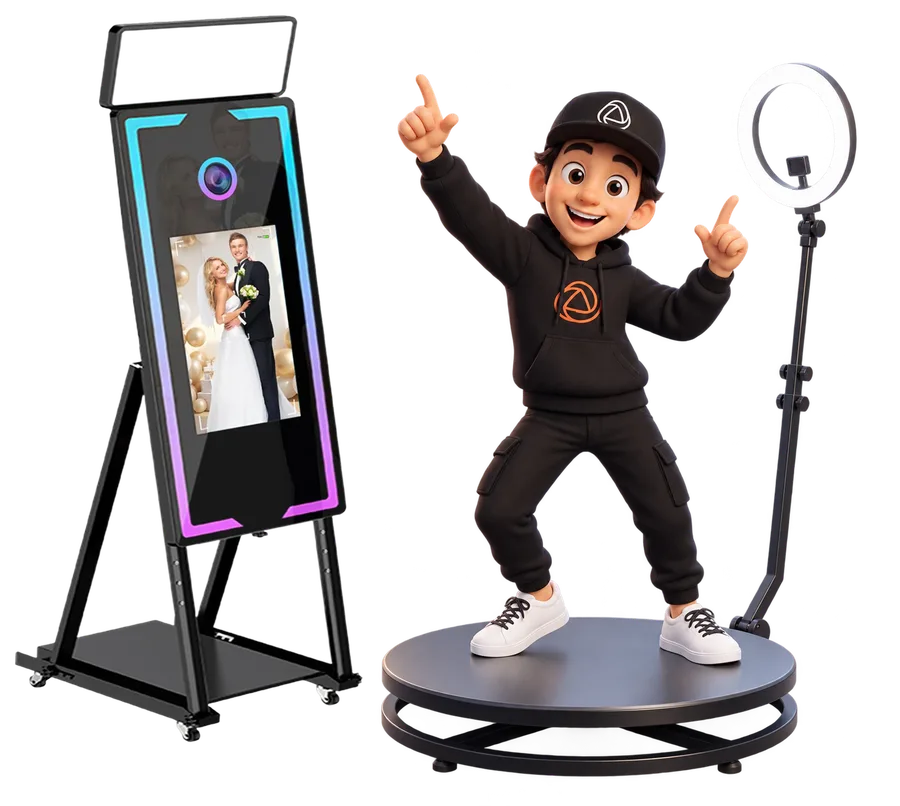
Snappy presenting the Snap360 photo booth app

What Does a Photo Booth App Do?

A photo booth app, also called photo booth software, manages the event around the capture: a repeatable setup, your client's branding and the finished file or print.

The physical booth, camera and printer remain part of your equipment. Snap360 handles the software workflow, so your team can prepare a template and run the service consistently. Choose photo mode for prints, video mode for a spinner platform, or a plan covering both.

Is Snap360 Photo Booth Software for Photos, 360 Video or Both?

Both. Snap360 is photo booth software for iPhone, iPad and Android with two modules under one login: SNAPPHOTO for printed and digital photos, and 360 video for spinner platforms. DIAMOND PRO covers photo and video together.

  • Photo: photo strips and single shots with your template, a Canon EOS connected by cable or the tablet's own camera, and QR delivery.
  • 360 video: record on a mounted device, add music and overlays, and send each clip by QR.
  • Photo kiosk: on an iPad or tablet, booth mode with an exit PIN keeps guests on the capture screen, so it works as a self-service photo kiosk.
  • Windows: the PC version is coming soon, with a launch list open.

Want the full list? See every photo booth software feature for photo and 360 video, or compare the Windows photo booth software.

Match the Mode to Your Booth

Photo Booth and Prints

The photo module is available on iPhone, iPad and Android. For an iPad photo booth, the documented camera setup is a Canon EOS connected by cable. Templates arrange the photos into strips or prints; printing uses a compatible AirPrint setup.

Explore the Photo Booth App

360 Video Booth

Record on an iPhone, iPad or Android device mounted on your platform. Prepare the music, overlay and video effects, then use QR delivery to share the finished clips with guests.

Explore 360 Photo Booth Software

Windows Photo Booth

The Windows version is coming soon. If your booth or mirror runs on a PC, join the launch list and check the planned camera and printer support before choosing equipment.

See the Windows Version

Four Steps from Setup to Delivery

Prepare the Event

Create the event, select the capture mode and test the connected equipment. Save the template and settings your team will use on the day.

Add the Client's Look

Use the event's logo, colors and layout in a photo template or video overlay. AI frame generation is available through SnapCoins; test the result before the event.

Capture and Process

Run the guest through the capture and review a sample result. Video effects and photo layouts serve different outputs, so rehearse the mode you are selling.

Print or Share

Offer the output that matches your setup: a printed photo, a QR download or an event gallery. Online uploads and delivery need connectivity, even when recording works offline.

Choose Your Equipment with the Workflow in Mind

Check the exact model and connection before buying hardware for your booth.

For iPad photography, start with our Canon EOS connection guide. For printing, read how DNP printers work with Snap360: an AirPrint bridge or compatible print server is different from plugging a USB printer directly into the iPad.

Our equipment and brand guides explain the status of Nikon, Fujifilm, HiTi and Sinfonia too. Ask us about your setup before committing to a service you have not tested.

Start Free. Pay for the Service You Deliver.

Free to try every capture mode. PRO to deliver.

SNAPPHOTO

For a photo business delivering prints and digital photos, without 360 video. Check the pricing page for availability and pricing in your region.

See the Photo Plan

PRO

For 360 video operators. US web pricing is $31.99 per month, excluding applicable tax, with two devices working at once and 4 GB of cloud storage.

See the Video Plan

DIAMOND PRO

For photo and video together. US web pricing is $46.99 per month, excluding applicable tax, with four devices working at once and 15 GB of cloud storage.

See Photo and Video

The Free Plan does not expire and does not ask for a payment card. Paid plans include 12 months of event access. See the full comparison for each plan's limits and the billing periods available in your currency.

Frequently Asked Questions

Which Devices Run the Snap360 Photo Booth App?

The video module runs on iPhone, iPad and Android. The photo module is available on iPhone, iPad and Android. The Windows version is coming soon. Camera and printer connections depend on the platform and equipment, so check the relevant setup guide.

Which Plan Includes Photo and 360 Video?

DIAMOND PRO includes both. SNAPPHOTO covers photo and PRO covers video. Choose one plan to match the service you offer; photo and video are not separate subscriptions you need to stack.

Do I Need a Printer?

You need a compatible printing setup if your service includes printed photos. Digital QR delivery is a separate option. On iPad, printing uses AirPrint with a compatible printer or print server; check your exact model before buying equipment.

Does the Free Plan Expire?

No. It is a permanent Free Plan with its own limits, not a seven-day trial of a paid plan. Use it to learn the capture modes and prepare your booth, then choose the paid plan that fits your service.

Can I Use the App as a Photo Kiosk?

Yes. On an iPad or tablet, booth mode keeps guests on the capture screen and an exit PIN protects your settings. Guests take the photo and receive it by QR. Add a compatible printing setup if you also want prints.

Is There a Free Photo Booth App?

Yes. The Free Plan is permanent, needs no payment card and lets you try every capture mode. Paid plans add the limits and features you need to deliver paid events.
Prepare Your Next Event with Snap360

Try the capture modes, check your equipment and build the workflow your team will use.