How to Get Guests to Use the 360 Photo Booth: Placement, Introduction and Turns

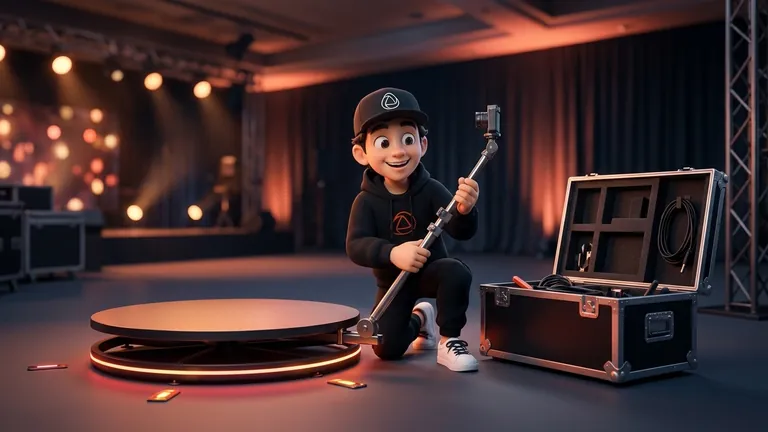
To get guests to use a 360 photo booth you need to put it where people already walk, have someone introduce it with a smile and get the first turns going early: once people see others step up and laugh, the rest lose their shyness. The platform alone rarely fills the line.
This guide collects what photo booth operators and companies say about placement, props and attendants, and adds practical operator criteria. Where there is no source, we say so and give criteria instead of numbers.
At a Glance
- Placement: near the entrance, the bar, the DJ or the dance floor, according to Complete We Do, a US wedding entertainment company.
- A host: someone who introduces the platform, helps shy guests and keeps the line moving.
- The start: the first people on should be the liveliest, not the shyest.
- Poses: suggest one simple idea for the spin and let each person change it during the recording.
- Turns: small groups, a clear message about how long it takes and a visible but orderly line.
Where to Place the 360 Photo Booth
The Complete We Do guide recommends a high-traffic spot where guests can easily see and reach the booth, next to the entrance, the bar, the DJ or the dance floor. The idea is that guests discover it without being told. It also advises a well-lit area with room for groups.
- Visible, but not in the way: if it blocks a walkway, the line is a nuisance and people avoid it.
- Room around it: the line and groups need space. For measurements, see how much space a 360 photo booth needs.
- Your own light: a bright area invites people to try. See how to light a 360 photo booth.
- Close to the action, not next to the speaker: it should be somewhere you can talk to explain the turn. This is our own criterion, not a measurement from a source.
How to Introduce the Booth and Who Does It
According to the same source, a dedicated attendant helps guests with the camera, lighting and props, which keeps the line moving and helps first-time users. In a 360 this matters even more, because many guests have never stepped onto a spinning platform.
- Invite, do not wait: greet people who pass nearby and offer them a try. Guests rarely make the first move.
- Say what will happen in one sentence: "you step up, I count to three and the camera spins around you in slow motion".
- Show the result: a screen or phone with a recent video convinces more than any explanation.
- Watch your tone: if someone declines, do not push. A polite no now is often a yes in an hour.
- Use the DJ or host: an announcement during a calm moment fills the line. This is common operator practice, not a measured fact.
Pose Ideas for the Spin
A UK operator describing its service explains that the screen counts down from three, the platform spins and the video is recorded, and that guests should change pose while it spins. That is the key: give them a starting idea and permission to improvise. Here are suggestions by type of group:
| Group | Pose idea | Why it works |
|---|---|---|
| A shy person | Walk toward the camera and wave | A natural movement, no acting needed |
| Couple | A hug that ends in a spin or a kiss on the cheek | Looks good in slow motion |
| Group of friends | Start together and split apart halfway | Adds a change of rhythm to the video |
| Family with kids | Everyone jumps at the end of the countdown | Simple and fun for all ages |
| Guests with props | Swap glasses, hat or sign mid-spin | Props add personality to the video |
Complete We Do also suggests a variety of props, such as hats, wigs, glasses, masks and signs, and encouraging guests to combine them. On a spinning platform, choose light pieces that hold on well so nothing flies off.
How to Organize Turns
We did not find a source with figures on how many people per turn or how many seconds per video, and it depends on the platform and the event. So we give criteria, not numbers. For the people and weight limit, see how many people fit on a 360 platform.
- Open strong: ask the liveliest people, such as the birthday guest, the couple or the friends from the dance floor, to go first. No specific source, but it is common practice among many operators.
- One group on the platform and the next one ready: while one records, the next waits on a floor mark.
- Short, fixed message: the same sentence for everyone speeds up the handover.
- Repeats at your discretion: if there is a line, one take per group; if there is a gap, a second one.
- Avoid a bottleneck at the end: tell the DJ when the booth closes so nobody misses out. At a wedding, how many hours to book affects this.
If You Run the Booth: Get the Video Out Fast
A guest shares when they see the result. Snap360App generates a QR code so each guest can download their video; that needs an internet connection, although recording works without one (record offline). Before the event, check whether the venue has wifi or bring mobile data.
You can see the Snap360App plans and start with the Free Plan, with no card and no time limit.
Frequently Asked Questions
How Do I Get Guests to Use the 360 Photo Booth?
Place it in a high-traffic, visible spot, have a host who invites and explains, and make sure the first people on are the liveliest. Seeing others have fun is what encourages most.
Where Is the Best Place for a 360 Photo Booth?
According to Complete We Do, near the entrance, the bar, the DJ or the dance floor, in a well-lit area with room for groups. Avoid blocking walkways.
Does the Booth Need an Attendant?
It is strongly recommended. The same source says an attendant helps with the camera, lighting and props and keeps the line moving.
Which Poses Work Best in a 360?
Ones that look good in motion: walking toward the camera, a hug, a jump at the end of the countdown or a prop swap mid-spin. The key is to change pose while it spins.
How Do I Avoid Long Lines?
One group on the platform and the next one ready, a short fixed message and one take per group when there is a line. We have no figures from a comparable source, so adjust it to the pace of the event.
What If Guests Are Shy?
Start with someone lively, show a recent video and suggest something simple, like walking toward the camera. Do not push: many join in after seeing the result.
How Do Guests Get Their Video?
With Snap360, through a QR code, as long as there is internet. Recording works offline, but QR delivery does not.